
wiremd
Wireframes in plain text.
Write a screen as Markdown, see it render as a visual mockup — no design tool, no drag-and-drop.
## Login

Email
[_____________________________]{type:email}

Password
[_____________________________]{type:password}

[Sign In]* [Forgot password?]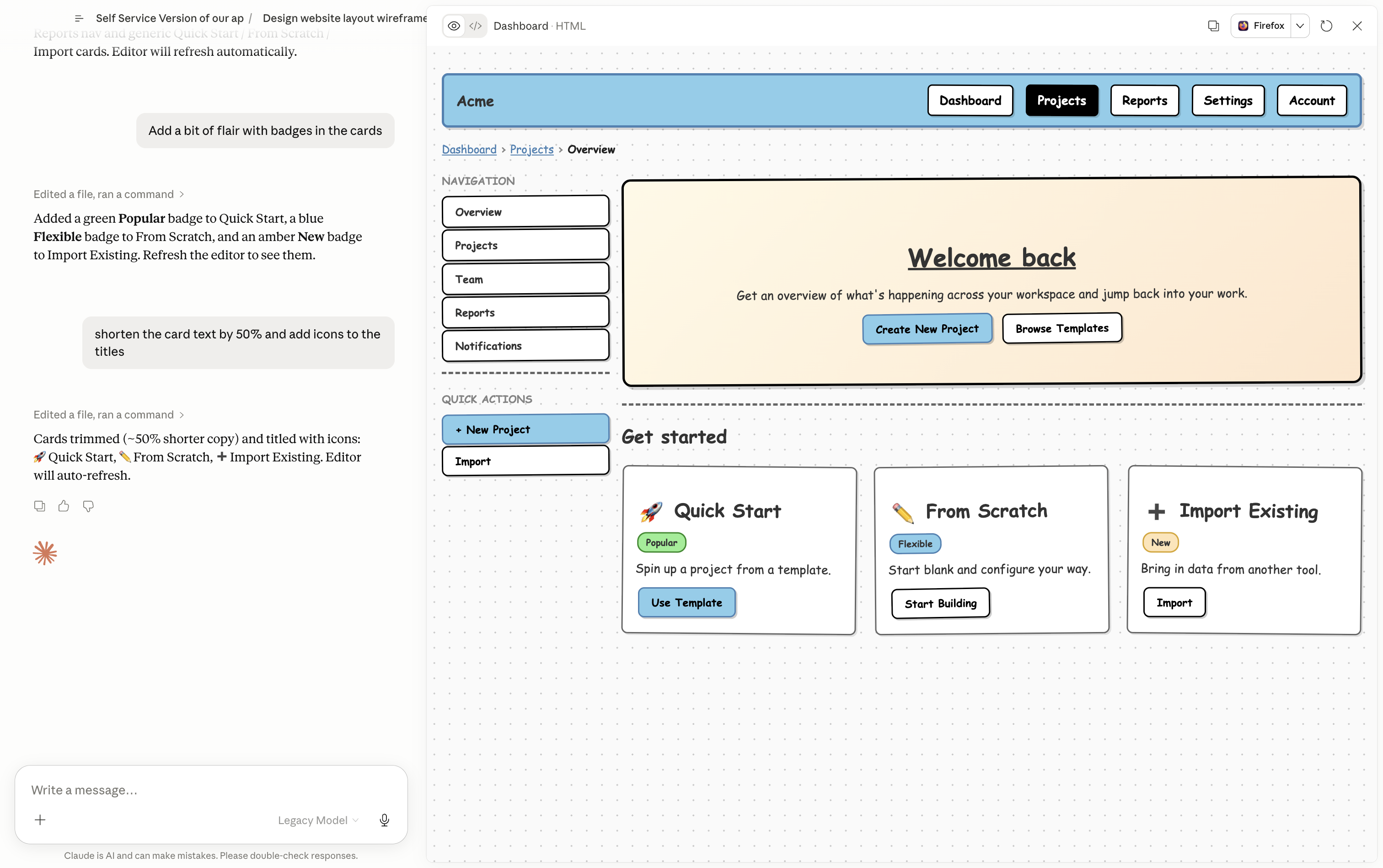
What you can do with it
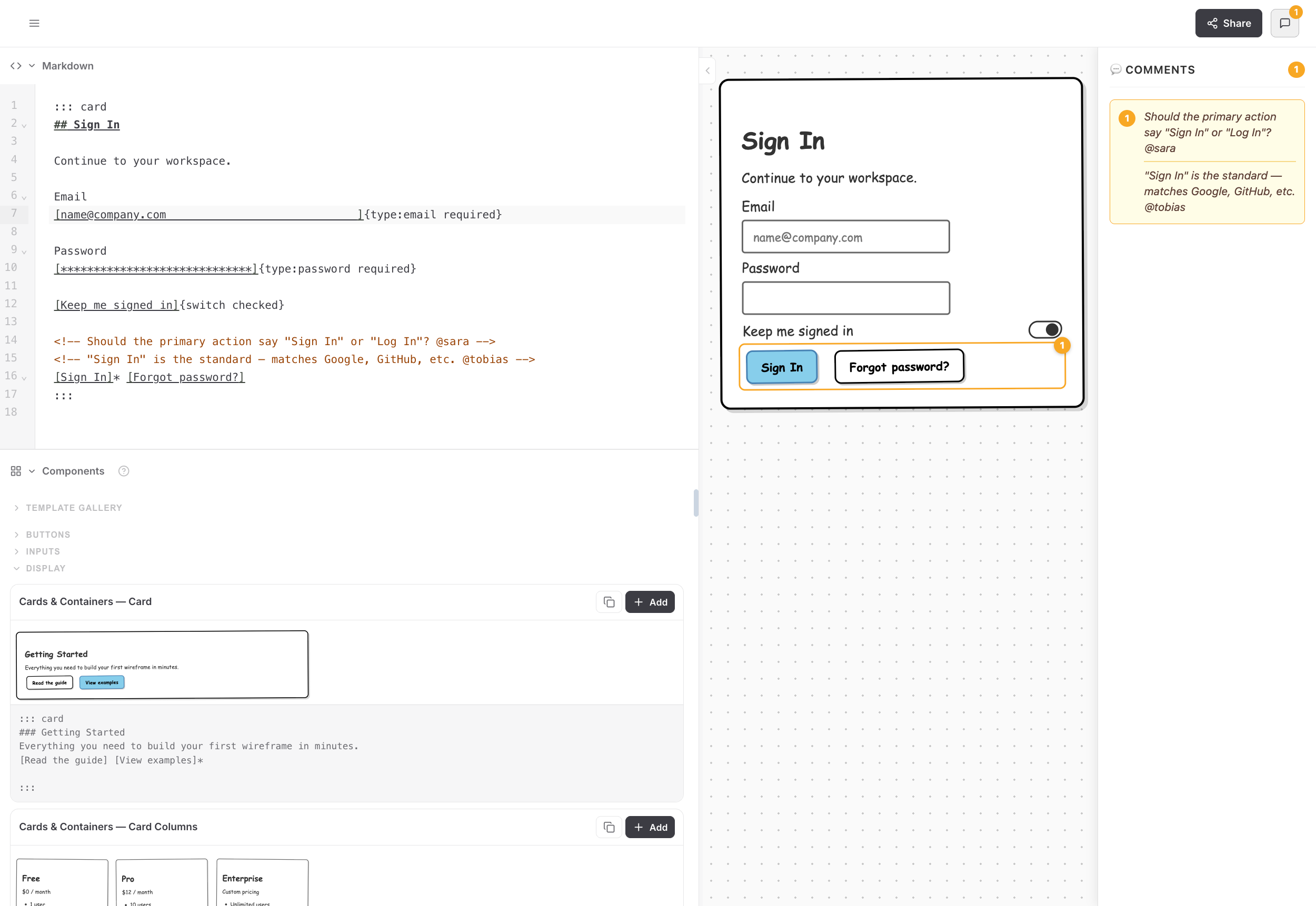
| Create | Describe a screen — Claude writes the Markdown and renders it instantly |
| Share | Copy a link, embed in Notion, paste in Jira or Obsidian — the wireframe travels with the spec |
| Stay portable | Everything is a .md file — version-controlled, diff-able, readable by any LLM |
| Hand off | Open in VS Code or pass to Claude Code — plain text, no screenshots, no translation layer |
Get started
Web editor — no install
Open teezeit.github.io/wiremd/editor in Chrome, Edge, or Safari. Paste or write wiremd Markdown, pick a style — renders instantly. No account, no setup.
With Claude
Describe the screen you want — Claude writes and renders the wireframe for you.
Claude Code:
npx skills add teezeit/wiremd/extensions/skillsClaude Desktop Cowork: download wireframe-skill.zip → Settings → Plugins → + Add → Upload (.zip) (recommended), or Settings → Skills → + Add → Upload (.zip).
Full rendering (serve/watch modes) requires local CLI access — Claude Code and Claude Desktop Cowork. In chat contexts, the bundled CLI runs in the sandbox for display mode; or paste the Markdown into the web editor to render it.
Three modes — see the full guide to pick yours:
- Only Claude (
/wireframe:display) — HTML artifact in Claude's panel, no browser tab - Claude + Editor (
/wireframe:editor) — live browser tab, both sides read/write the.md - Only Editor — paste Claude's output into the web editor, no install
VS Code extension
Install the VS Code extension — open any .md file, click the preview icon. Live preview as you type, no terminal needed.
Local dev server
npm install -g @eclectic-ai/wiremd
wiremd my-wireframe.md --serve --watchOpen the printed http://localhost:PORT address — reloads on every save. Works with any browser, including Firefox. Install guide →
Next steps
- Using with Claude — full guide for all Claude surfaces
- Components — all components and attributes
- Examples — full-page wireframe templates