
CLI
The wiremd CLI converts .md files to HTML, watches for changes, and optionally serves a live-reload dev server.
No terminal? Install the VS Code extension instead.
Install
bash
npm install -g @eclectic-ai/wiremdVerify:
bash
wiremd --versionServe locally
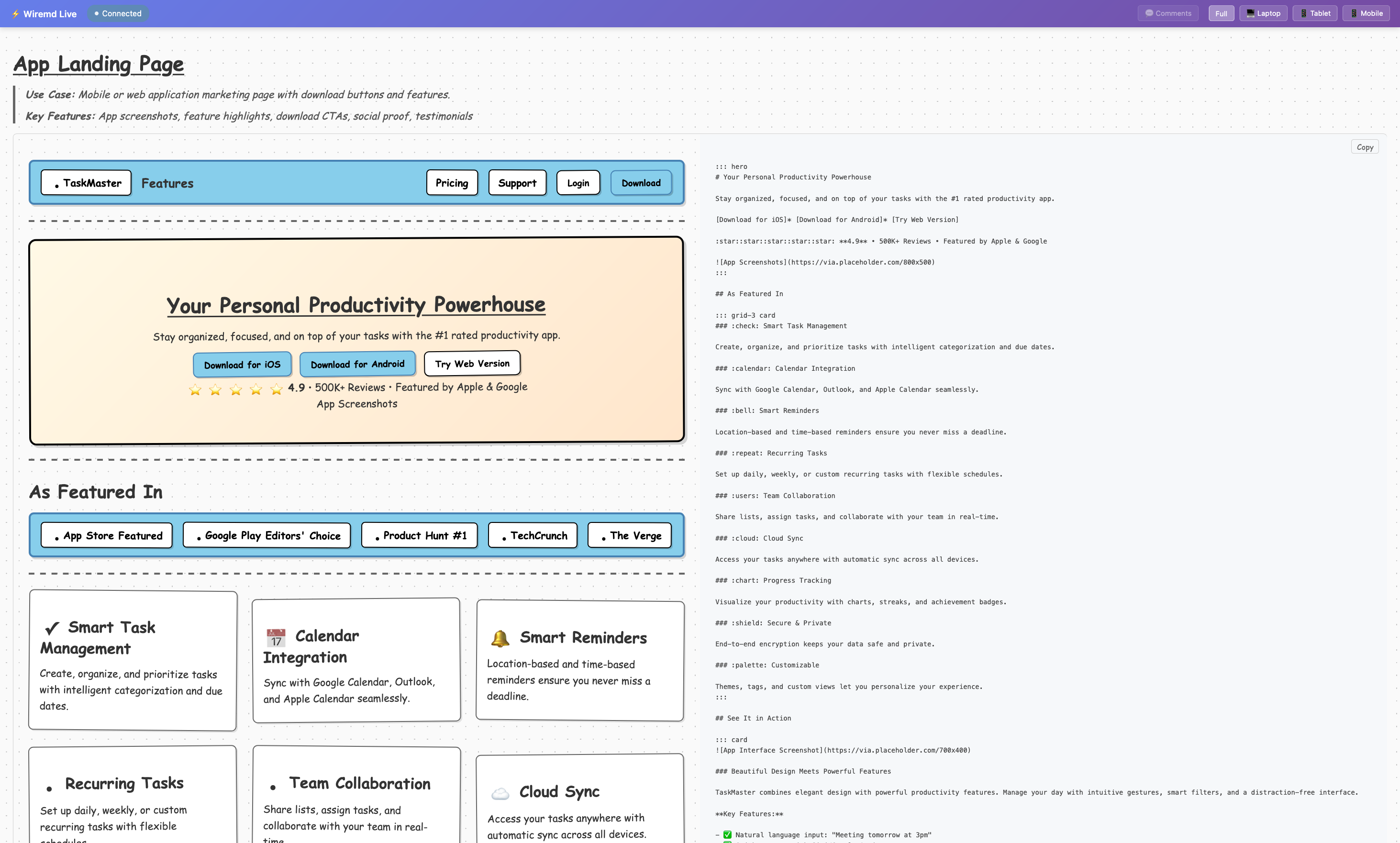
The most useful workflow — write your wireframe, see it update live in any browser:
bash
wiremd my-screen.md --serve 3001 --watchOpen the printed http://localhost:PORT address. The page reloads automatically on every save. Works in any browser including Firefox.
For a whole folder of screens:
bash
wiremd ./screens --serve 3001All .md files under ./screens are watched. If screens/index.md exists it becomes the default page. Navigate between screens at the printed server address, for example /screen-name.html.
One-shot render
bash
# Render to HTML (default: same name as input)
wiremd login.md

# Render every .md page in a folder
wiremd ./screens

# Specify output path and style
wiremd login.md -o dist/login.html --style cleanFlags
| Flag | Alias | Default | Description |
|---|---|---|---|
--output <file> | -o | <input>.html | Output file path |
--style <style> | -s | sketch | Visual style |
--serve [port] | — | 3000 | Start live-reload dev server on port |
--watch | -w | — | Regenerate on file change (no server) |
--format <format> | -f | html | html or json |
--show-comments | — | off | Render <!-- comments --> as callout panels |
--watch-pattern <glob> | — | — | Override the default watch glob |
--ignore <glob> | — | — | Extra glob to exclude from watching |
--pretty | -p | true | Pretty-print output |
--version | -v | — | Print version |
--help | -h | — | Print help |
Styles
| Value | Look |
|---|---|
sketch | Balsamiq-inspired hand-drawn (default) |
clean | Modern minimal |
wireframe | Traditional grayscale |
material | Google Material Design |
tailwind | Utility-first, purple accents |
brutal | Neo-brutalism, bold colors |
none | Unstyled HTML |
Notes
--servestarts the server on port3000by default and tries the next ports automatically if needed. It does not auto-enable--watch. Pass both to get live reload:--serve --watchor--serve 3001 --watch.--watchwithout--serveregenerates the file on disk only — no browser sync.- Directory mode renders each page-shaped
.mdfile next to its source and ignores-o. Files prefixed with_are treated as partials. Use-sto set the style for all files.
Programmatic use
bash
npm install @eclectic-ai/wiremdts
import { parse, renderToHTML } from '@eclectic-ai/wiremd'

const html = renderToHTML(parse('## Login\n[Sign In]*'), { style: 'clean' })